RCA 25420 Przewodnik Szybki Start
Przeglądaj online lub pobierz Przewodnik Szybki Start dla Nie RCA 25420. RCA 25420 Quick Start Guide Instrukcja obsługi
- Strona / 2
- Spis treści
- BOOKMARKI

Podsumowanie treści
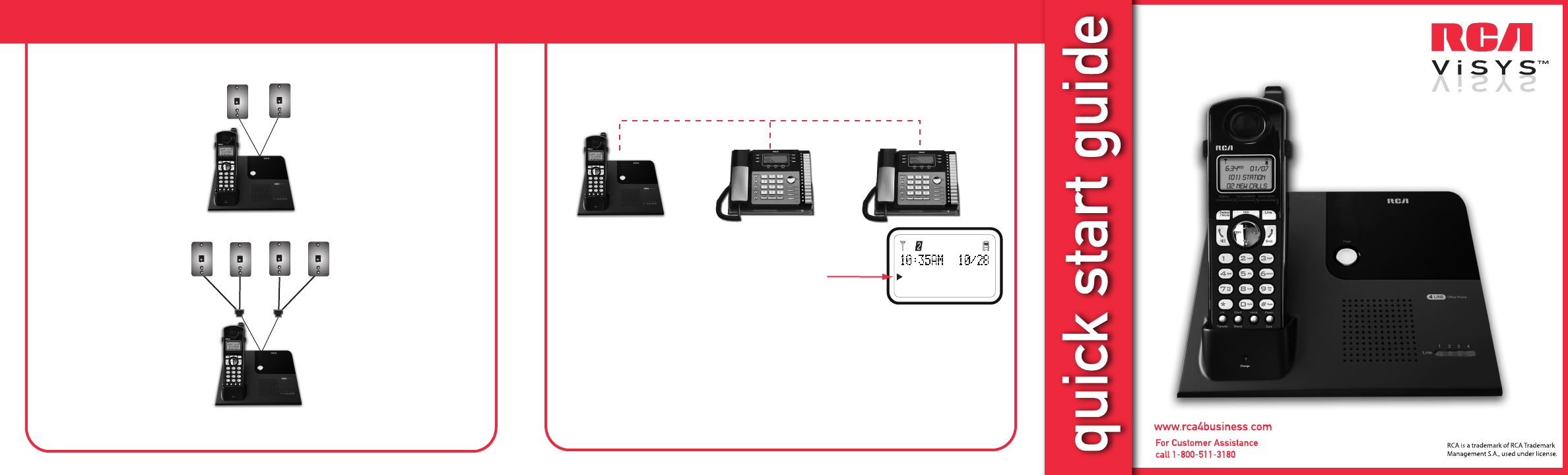
25420Installing Your PhoneTo install using two 2-line phone jacks and two 2-line phone cords (included with your phone):To install using four single-l
Menu, Format/Redial, Select/SaveDelete/Mute,Do Not Disturb,Line SelectVol +/Vol -Intercom/Call Transfer,Call Conference, Store NumberHold, Flash/ExitL
Powiązane produkty i podręczniki dla Nie RCA 25420
 (2 strony)


 (2 strony)
(34 strony)
(80 strony)
(6 strony)
(1 strony)
(6 strony)
(2 strony)
(1 strony)
(2 strony)
(34 strony)
(80 strony)
(6 strony)
(1 strony)
(6 strony)
(2 strony)
(1 strony)
 (1 strony)
(2 strony)
(1 strony)
(1 strony)
(11 strony)
(1 strony)
(2 strony)
(8 strony)
(1 strony)
(2 strony)
(1 strony)
(1 strony)
(2 strony)
(1 strony)
(1 strony)
(11 strony)
(1 strony)
(2 strony)
(8 strony)
(1 strony)
(2 strony)
(1 strony)
© 2020, manymanuals.pl. Wszelkie prawa zastrzeżone. | 0.030 s |
 Manymanuals.com
 Manymanuals.de
 Manymanuals.fr
 Manymanuals.it
 Manymanuals.pl
 Manymanuals.cz
 Manymanuals.es
 Manymanuals-pt.com
Komentarze do niniejszej Instrukcji